Creating a Hybrid Mail Batch
Create a Hybrid Mail Batch:
1. Navigate to Smart Batch Studio and click on “New Batch” in the top-right corner.
2. Select “Hybrid Mail Batch” from the available options.
3. The Hybrid Mail Batch Creation modal will open.
4. Enter a Job Name for your batch.
5. Choose the Split Criteria, which determines how the uploaded document is divided into individual letters:
Address – Splits the document based on each unique address identified.
Page Count – Splits the document after a defined number of pages.
Example:
If you upload a 600-page document containing 200 customer letters (each 3 pages):Selecting Address → Each unique address creates one letter.Selecting Page Count = 3 → Every 3 pages are grouped as one letter.
6. Upload your document and click “Proceed.”
7. The file will be sent for backend processing, and a batch will be created in Smart Batch Studio.
8. Once splitting is complete, the job status will update and become available for processing.
9. Click “Continue Processing” to open the Hybrid Mail Workspace.
Processing a Hybrid Mail Job
Within the Hybrid Mail Workspace, you can configure and refine your letters using the following options:
Envelope Type
Choose from C5, C4, or DL. The address positioning adjusts dynamically based on the selected envelope type.
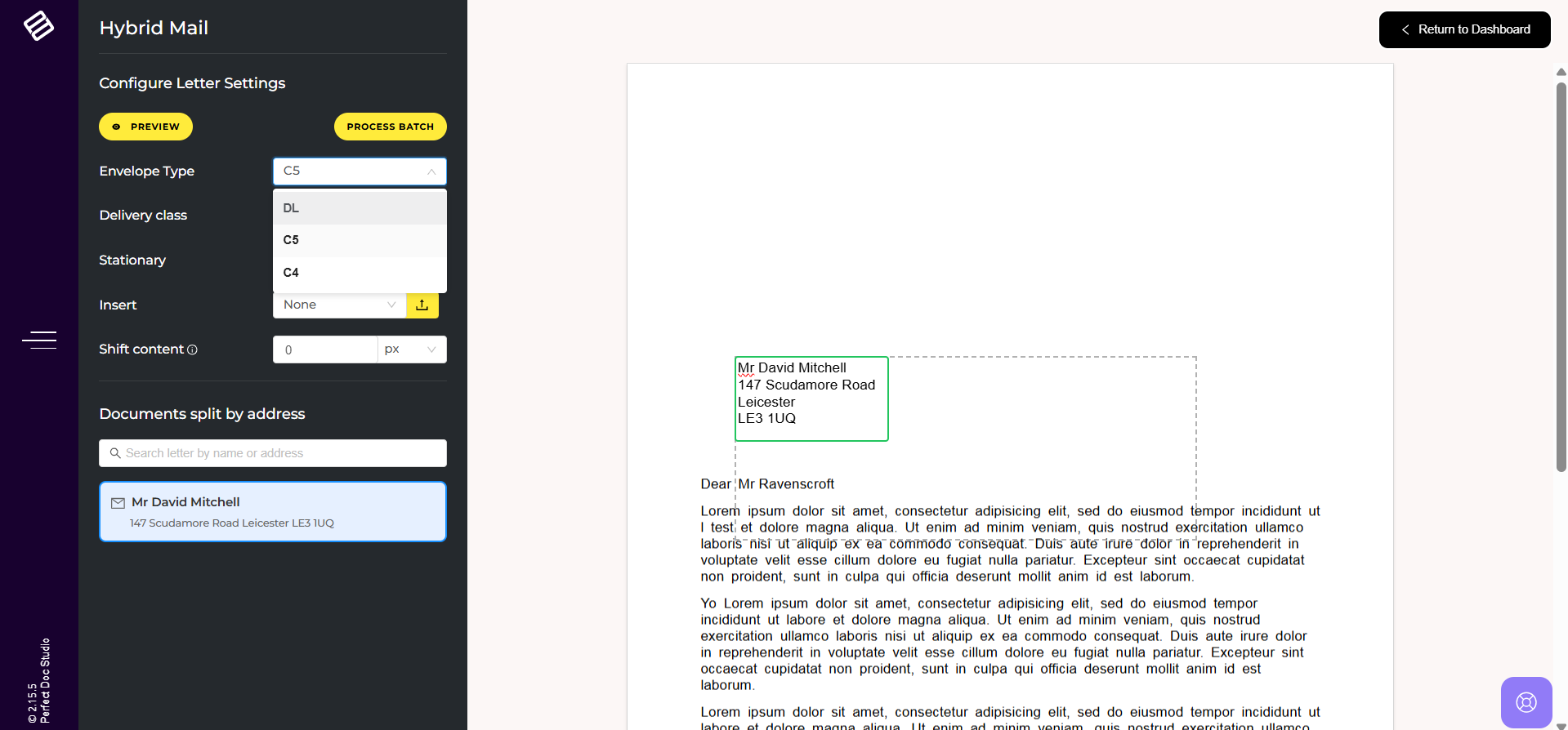
Choose from C5, C4, or DL. The address positioning adjusts dynamically based on the selected envelope type.
Delivery Class
Select the delivery priority: First Class or Standard Class.
Select the delivery priority: First Class or Standard Class.
Stationery
Attach predefined letterheads to your documents.
These can be created in Reusable Sections within Perfect Doc Studio and tagged as “Stationery” to appear here.
Attach predefined letterheads to your documents.
These can be created in Reusable Sections within Perfect Doc Studio and tagged as “Stationery” to appear here.
Inserts
Add additional content such as promotional flyers or marketing materials.
You can either upload new inserts or select from previously uploaded ones.
Add additional content such as promotional flyers or marketing materials.
You can either upload new inserts or select from previously uploaded ones.
Shift Content
Adjust the document layout if the content overlaps with the address area.
This option allows you to shift content downward for proper alignment.
Adjust the document layout if the content overlaps with the address area.
This option allows you to shift content downward for proper alignment.
Preview
View a real-time representation of how each customer’s letter will appear upon delivery.
View a real-time representation of how each customer’s letter will appear upon delivery.
Search
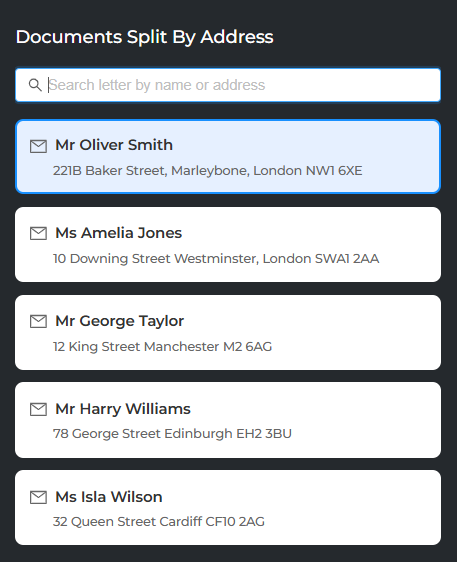
Quickly locate specific customer letters within the batch using name or address.
To learn more about processing options and workflows in Hybrid Mail Batch, click HERE.
Related Articles
What is Smart Batch Studio?
Smart Batch Studio is the centralized workspace for managing all batch-related operations within the system. It provides end-to-end visibility and control over every batch triggered, enabling users to efficiently create, monitor, and manage ...Processing a Batch Job in Smart Batch Studio
In Smart Batch Studio, whenever you are about to submit a Batch Job (Quick / Standard) or a Hybrid Mail Batch, the system provides an option to configure processing settings before the batch is submitted. This configuration modal appears in the final ...Approval Workflow in Smart Batch Studio
Approval Workflow in Smart Batch Studio Perfect Doc Studio provides an Approval Workflow mechanism within Smart Batch Studio to ensure that batches are reviewed and approved before processing. During batch submission, whether it is a: Quick Batch ...Creating a Quick Batch Job in Smart Batch Studio
Follow the below steps to create and process a Quick Batch Job in Smart Batch Studio: 1. Navigate to the Transactions menu & Click on Smart Batch Studio. 2. From the top-right corner, click New Batch and select Batch Jobs. 3. Choose the required ...Creating a Standard Batch Job in Smart Batch Studio
Follow the below steps to create and process a Standard Batch Job in Smart Batch Studio: 1. Navigate to the Transactions menu & Click on Smart Batch Studio. 2. From the top-right corner, click New Batch and select Batch Jobs. 3. Choose the required ...