Creating a Quick Batch Job in Smart Batch Studio
Follow the below steps to create and process a Quick Batch Job in Smart Batch Studio:
1. Navigate to the Transactions menu & Click on Smart Batch Studio.
2. From the top-right corner, click New Batch and select Batch Jobs.
3. Choose the required Batch Job Type:
- Quick
- Form
- Standard
4. Enter a name for the Batch Job.
5. Select Quick as the Batch Type.
6. Choose the required Channel:
- Multichannel
Note: Multichannel jobs support both Print and Email channels.
7. Select Print / Email and click Next.
8. The list of Published Templates will be displayed.
9. Select the required template. You can also search for the template using the template name.
10. Click Next.
11. In the next step, download the sample Data File template for providing input data.
Smart Batch Studio supports the following data file formats:
- Excel
- JSON
- XML
- CSV
- TXT (Pipe Delimited)
- TXT (Tab Delimited)
Populate the data file with the required data.
12. Upload the completed data file.
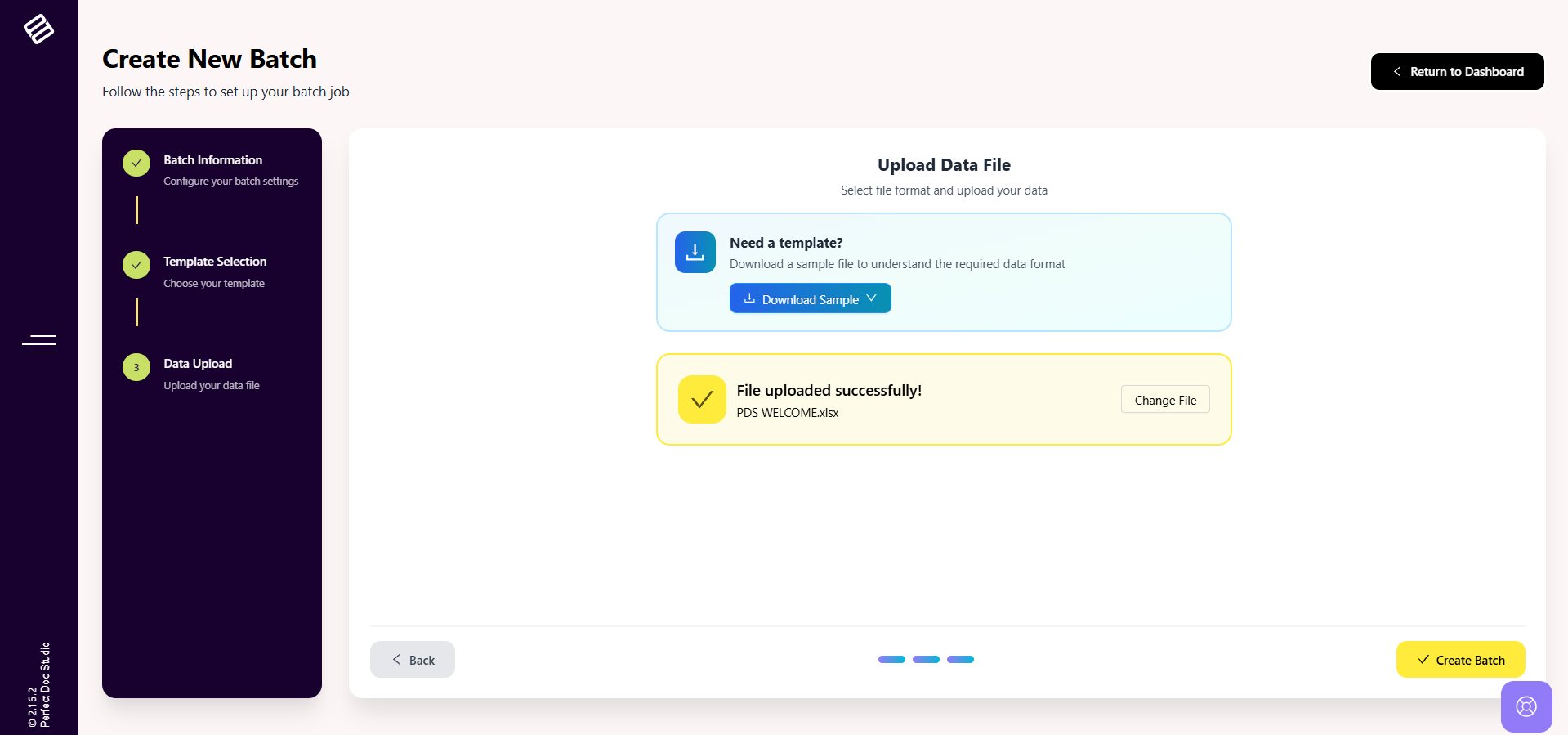
13. Click Create Batch to create the batch.
14. Once submitted, the Quick Batch Job will be created under Smart Batch Studio.
15. After the job is processed successfully, the generated documents can be downloaded.
Related Articles
Creating a Standard Batch Job in Smart Batch Studio
Follow the below steps to create and process a Standard Batch Job in Smart Batch Studio: 1. Navigate to the Transactions menu & Click on Smart Batch Studio. 2. From the top-right corner, click New Batch and select Batch Jobs. 3. Choose the required ...What is Smart Batch Studio?
Smart Batch Studio is the centralized workspace for managing all batch-related operations within the system. It provides end-to-end visibility and control over every batch triggered, enabling users to efficiently create, monitor, and manage ...Processing a Batch Job in Smart Batch Studio
In Smart Batch Studio, whenever you are about to submit a Batch Job (Quick / Standard) or a Hybrid Mail Batch, the system provides an option to configure processing settings before the batch is submitted. This configuration modal appears in the final ...Approval Workflow in Smart Batch Studio
Approval Workflow in Smart Batch Studio Perfect Doc Studio provides an Approval Workflow mechanism within Smart Batch Studio to ensure that batches are reviewed and approved before processing. During batch submission, whether it is a: Quick Batch ...Creating a Hybrid Mail Batch
Create a Hybrid Mail Batch: 1. Navigate to Smart Batch Studio and click on “New Batch” in the top-right corner. 2. Select “Hybrid Mail Batch” from the available options. 3. The Hybrid Mail Batch Creation modal will open. 4. Enter a Job Name for your ...